

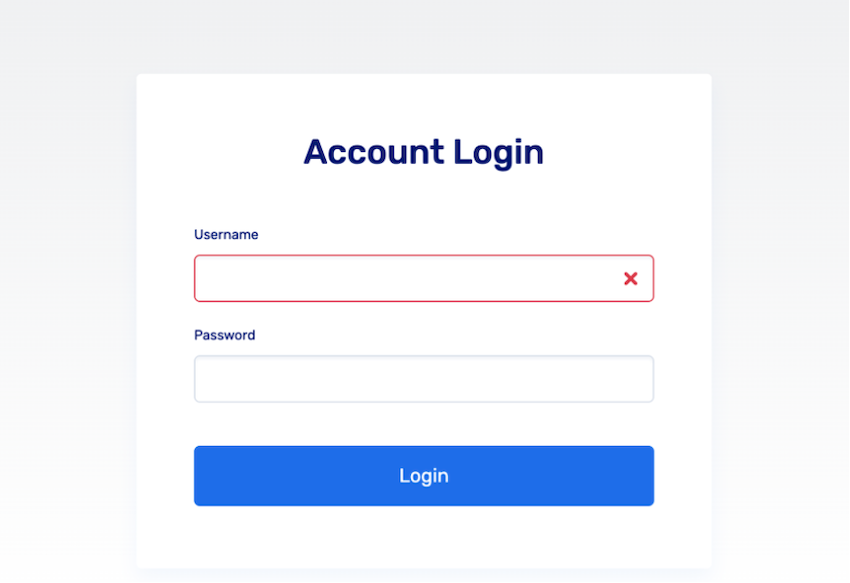
Login using the username and password that you currently use to log into the GBE:
https://app2.respax.com/public/ga/login
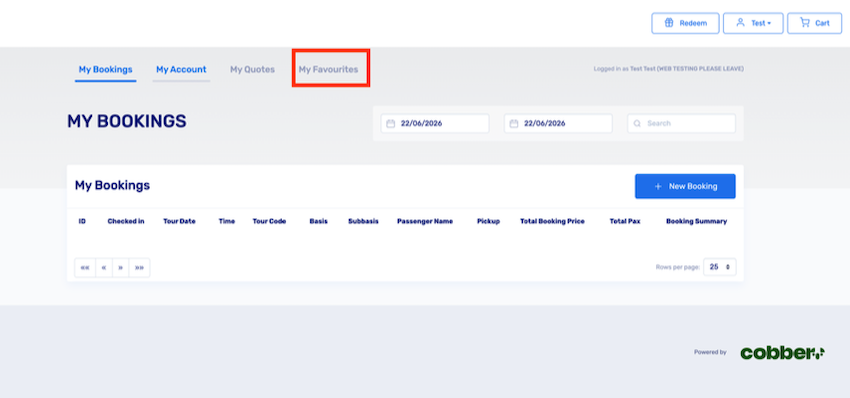
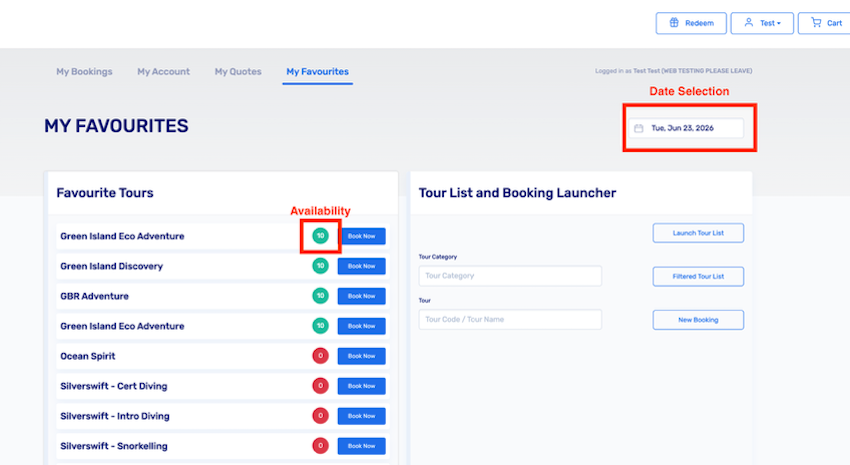
After loggin in, select 'My Favourites' from the top menu to see your list of products, along with the availability of those products on the date selected in the top right:
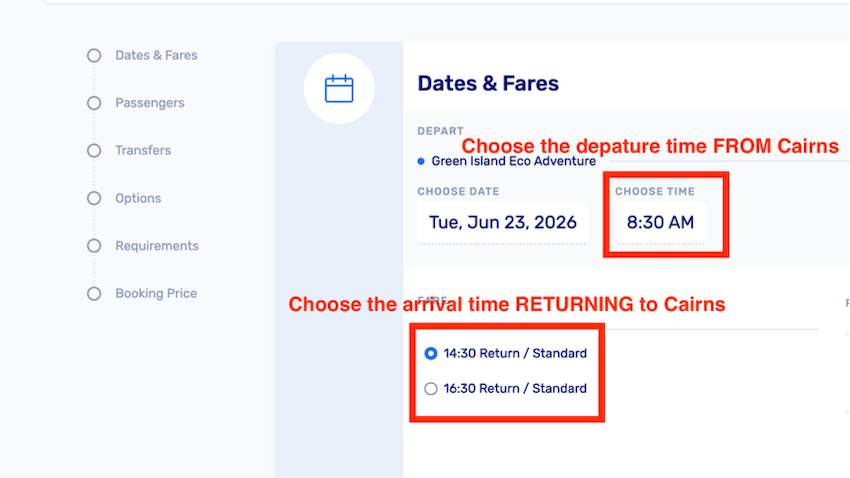
Proceed to fill in the details of the booking. For Green Island products you will need to select the departure time via the drop down, and the arrival time below that:
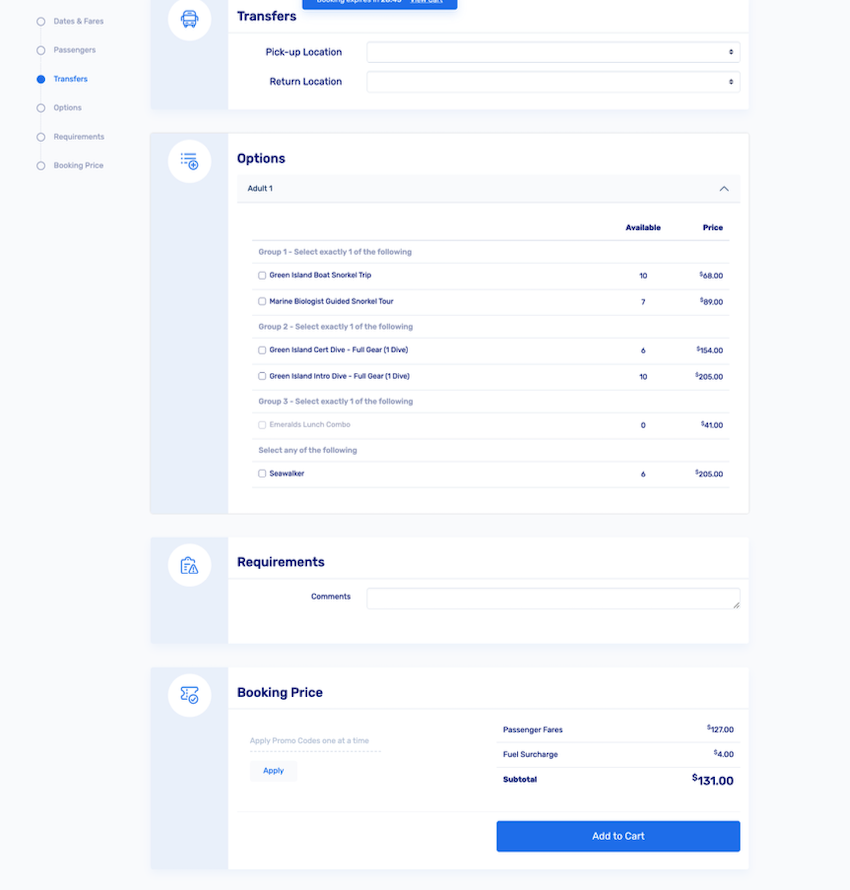
Continue to fill out the form with the correct pax details where needed, with the booking subtotal and cost breakdown appearing at the bottom of the page. When the form is filled out, click 'Add to Cart' to progress to the confirmation screen:
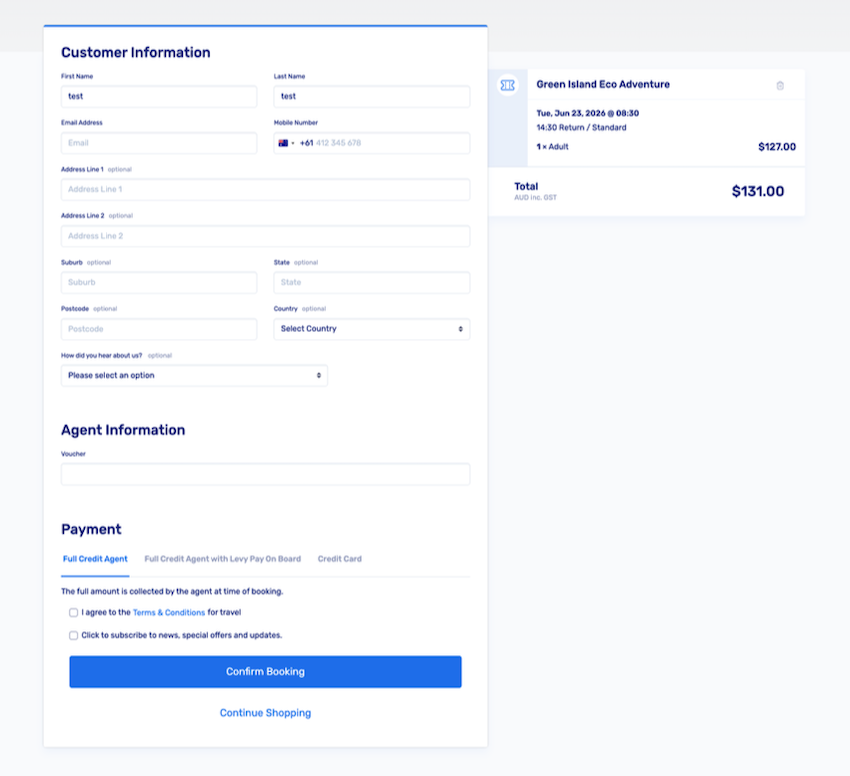
Fill in the appropriate passenger information where required, along with the Agent Voucher details if required. Select the 'Payment method' which should default to your organisation's credit status, and click confirm:
The booking confirmation screen will provide the specific booking number, and a confirmation will be emailed to the address specified in the booking. The confirmation can also be printed via that screen. If you don't wish the customer to receive the confirmation, please use your organisation's email address or leave the field blank.
To make additional bookings, select 'My Account' from the drop-down shown below and repeat from step one. To view or edit previous bookings made, select the 'My Bookings' option.
